
For watch collectors
A catalog for your watch collection
Keep every watch in one place: the exact reference and serial number, the movement, when it was last serviced, what you paid and what it is worth now. Add photos and papers, find a watch in seconds, and show the collection to others if you want.
The Watches template gives you more than twenty fields, lists of brands and values, and a ready card layout. You can change everything afterwards.
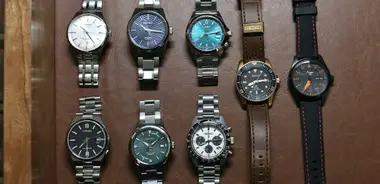
What to keep
What to record about a watch
These are the fields of the Watches template. Each one answers a question you will ask yourself later.
-
Brand, model and reference number
The reference tells exactly which variant you own, which matters for value, parts and service.
-
Serial number and year of production
Dates the watch and helps with authenticity checks. You can keep it private when you publish.
-
Movement and caliber
Automatic, quartz, hand-wound, solar or smart, and the caliber inside: the first thing a buyer or a watchmaker asks.
-
Case material and diameter
Steel, gold, titanium, ceramic and the size in millimeters: what you compare watches by.
-
Water resistance and crystal
Sapphire, mineral or acrylic crystal and the depth rating, to know what the watch can take.
-
Dial color and strap
Finds a watch by how it looks and records bracelet and strap changes.
-
Box and papers, condition
A yes or no for the box and papers and a grade of condition. Both change the price.
-
Last service, purchase and estimated value
When it was serviced, what it cost and what it is worth now: the base for insurance and for decisions.
How it works
Your first watch in three steps
-
Create a collection from the template
Pick “Watches” when you create a collection. The fields and the lists of brands and values are there at once.
-
Add your watches with photos
Write the reference and the dates, add photos of the dial and the case back, attach the warranty card and the receipt.
-
Search, filter, share
Filter by brand or movement, group by brand, and share the collection with a friend or publish it in the Gallery.
A short guide
How to describe a watch collection well
A good record is one you can still use in ten years. Six habits make the difference.
-
Write down the reference and the serial number
The reference identifies the exact variant, the serial number the production period. Copy both from the case back or the papers, not from memory.
-
Keep the service history
Note the date of every service, who did it and what was replaced. How often a watch needs service depends on the movement and the maker, so look at the recommendation for your model.
-
Keep the box and papers with the record
Scan the warranty card and the receipt into the Documents field. A complete set usually raises the price when you sell.
-
Separate what you paid from what it is worth
The purchase price does not change; the estimate does. Update the estimate once a year and you always know the value of the collection.
-
Photograph the dial, the case back and the clasp
Take the photos in daylight, from the same angles for every watch. Engravings, wear and small details are easier to compare later.
-
Write down every change
A replaced strap, a new crystal or a part that is not original belongs in the notes. It shows what is original and what is not.
FAQ
Questions about this catalog
Can I hide serial numbers and prices when I publish my collection?
Yes. When you publish a collection you choose which fields and which items are shown. A field you did not choose is never public, so the serial numbers and the prices can stay private.
How do I track a watch that is in service or on my wish list?
Add your own field, for example a list “Status” with the values “In the collection”, “In service” and “Wish list”. Then filter the catalog by it.
Can I add fields that the template does not have?
Yes. The template is only a start. You can add, rename, reorder and delete fields, and add values to the lists, at any time.
Is the catalog free?
YourCollections is free while it is in beta. You sign in with Google, Facebook, GitHub, LinkedIn or an email and a password.
Other collections
The same app, other fields: pick the one that fits your hobby.
See collections of other people
Owners publish their collections in the Gallery: look at how they describe their items, then publish your own.
Open the Gallery