
For readers and book collectors
A catalog for your book collection
Know what is on your shelves without standing in front of them. Keep the author, the series and the number in it, the exact edition and the ISBN, the condition, and whether you have read the book. Add a photo of the cover and find any book in seconds.
The Books template has fields for the author, series, publisher, ISBN, language, format and reading status. You can change everything afterwards.
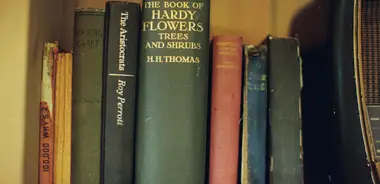


What to keep
What to record about a book
These are the fields of the Books template: enough to tell editions apart and to know where you stopped reading.
-
Title and author
The title is the name of the item, the author has a field of its own, so you can sort and search by it.
-
Series and number in the series
Puts a series in order and shows the volumes that are missing.
-
Publisher and year published
Editions of one book differ in text, translation and illustrations; these two tell them apart.
-
ISBN
The number that identifies an edition exactly and helps you find it again in a shop or a library.
-
Language and genre
Filter a shelf of several languages or find all the fantasy in one click.
-
Format and pages
Hardcover, paperback or another format, and the number of pages.
-
Reading status and date finished
Not read, reading or finished, and when. Your own reading history.
-
Condition, purchase price and photos
A grade for the book, what you paid, and photos of the cover and the spine.
How it works
Your first book in three steps
-
Create a collection from the template
Pick “Books” when you create a collection. The fields and the lists of genres and languages are already there.
-
Add books with covers
Write the author, the series and the ISBN, add a photo of the cover, and set the reading status.
-
Search, filter, share
Find a book by a word of the title, group by author or series, and share your shelf with friends.
A short guide
How to describe a book collection well
A shelf of a few hundred books is easy to keep in order if every book is described the same way.
-
Keep the author in a field of its own
The title as the name of the item and the author as a field let you sort a shelf by author and see all the books of one writer.
-
Write the ISBN of the edition you own
One title has many editions and each has its own ISBN. The number on the back cover is the surest way to name your copy.
-
Record series and numbers
A series with the number of every volume shows the gaps at once, and you stop buying a volume that you already have.
-
Set the reading status and the date
Not read, reading, finished: a catalog that knows this answers “what shall I read next” and “when did I read that”.
-
Describe the condition of rare copies
Note the jacket, the corners, the pages and any inscription. For a first printing, write that in the notes.
-
Note who has borrowed a book
Add a text field “Lent to” and a date field. A book that left the shelf is no longer lost.
FAQ
Questions about this catalog
Can I search my books by author or by a word in the title?
Yes. The catalog searches the names and the text fields, and you can filter by any list field, such as the genre, the language or the reading status.
How do I keep a wish list of books?
Add a list field “Status” with the values “On the shelf” and “Wish list”, or use a second collection for the wishes. Both are one filter away.
Is it only for a reading list, or also for rare books?
For both. The reading status is for readers; condition, edition, price and photos are for collectors. You use the fields you need and hide the others.
Can I publish my library?
Yes, if you want to. You choose which books and which fields are public, and you can take the page down at any time.
Other collections
The same app, other fields: pick the one that fits your hobby.
See collections of other people
Owners publish their collections in the Gallery: look at how they describe their items, then publish your own.
Open the Gallery